Brad's Car Manuals: A 3rd party mirror of CHARM + LEMON car manuals
Home >> Kia >> 2015 >> Soul Base, Automatic Trans >> Repair and Diagnosis >> External Pages >> Different car >> Section 176 (Smart Key System) >> Smart Key Diagnostic >> Repair Procedures >> Inspection >> Smart Key Status Check

Smart Key Status Check

Download the full database via torrent (~1.1 TB)  |  Download Brad's custom LEMON patches
WARNING: This page is about a different car, the 2017 Kia Soul EV. However, it is still accessible from the selected car via links, so may be relevant.
  1. Connect the cable of GDS to the data link connector in driver side crash pad lower panel.
  2. After IGN ON, select the "SMK STATUS INFORMATION".
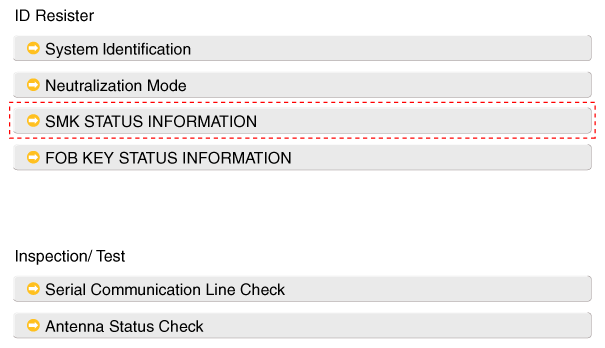
    Fig 1: Scantool Display - ID Register
    G11938138Courtesy of KIA MOTORS AMERICA, INC.
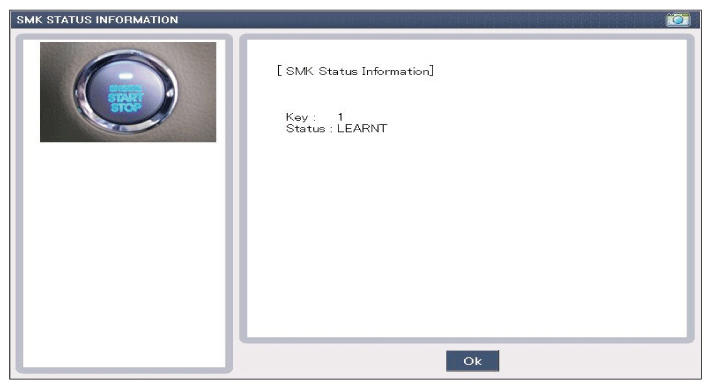
    Fig 2: Scantool Display - SMK Status Information
    G11938139Courtesy of KIA MOTORS AMERICA, INC.